Photos & videos · 100% on-device

Blur faces.
Keep your privacy.

One tap hides every face in a photo — or tracks them through a video. Plates, screens, and backgrounds too. Free, and your files never leave your phone.
4.1 on the App StoreNo sign-upNo uploadsWorks offline
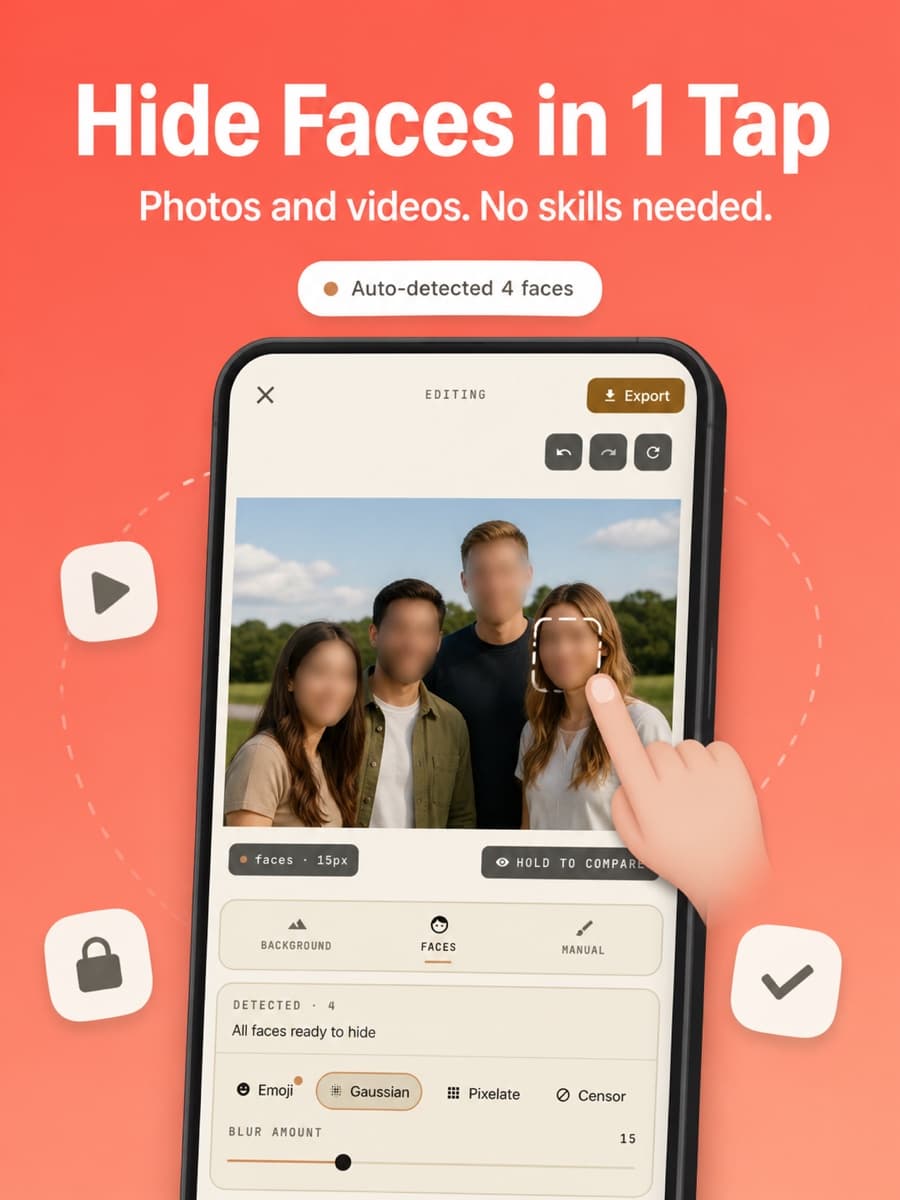
BlurQ auto-detected four faces in a group photo — hide faces in one tap

Features

Everything you need to hide anything

AI Face Detection

Every face in the shot, found instantly. Tap to choose which faces to hide and which to keep — perfect for group photos.

New

Video Face Blur

The blur moves with them. AI tracking follows faces through your video frame by frame, with a timeline to trim the range.

Background Blur

AI person segmentation keeps the subject sharp and melts the background into a DSLR-style bokeh.

Manual Brush

Finger-paint over license plates, addresses, screens, documents — anything. Adjustable size, softness, and an eraser.

4 Censor Styles

Gaussian for subtle, pixelate for the news look, a solid censor bar, or an emoji. Intensity is always adjustable.

100% Offline. Always.

No upload, no sign-up, no tracking. The AI runs on your phone, so it works in airplane mode and nothing ever leaves your device.

In action

See it work

BlurQ auto-detected four faces in a group photo — hide faces in one tap
BlurQ video face blur — AI tracking follows a moving face through the video
BlurQ manual brush blurring a license plate and house number
Four BlurQ censor styles on one portrait: gaussian blur, pixelate, censor bar, and emoji
BlurQ works 100% offline — no upload, no sign-up, works in airplane mode
BlurQ export screen — full-quality JPG saved to the gallery in two seconds

How it works

Done in three taps

Pick a photo or video

From your library, or shoot one right in the app.

Choose what to hide

Auto faces, background, or brush over anything manually.

Export in full quality

Saved to your gallery in seconds. Share anywhere.

No install needed

Blur faces right in your browser

Our free online tool runs the same on-device AI in your browser — auto face detection, three blur styles, a manual brush, and your photo is never uploaded.

FAQ

Questions, answered

Is BlurQ really private?
Yes. All processing happens on your device — your photos and videos never leave your phone. No uploads, no accounts, no data collection.
Does BlurQ work on videos?
Yes. BlurQ detects faces in your video and the blur tracks them automatically as they move through the frame. Trim the tracked range on a timeline, then export.
How does BlurQ work?
Pick a photo or video, choose a mode — face blur, background blur, or manual brush — pick a style (gaussian, pixelate, censor bar, or emoji), and export. On-device AI handles the detection.
Which devices are supported?
iPhone and iPad on iOS 17 or later, and Android phones via Google Play.
Is BlurQ free?
Yes, BlurQ is free to download and use. You can blur faces, backgrounds, and anything else at no cost.
Does BlurQ work offline?
Yes, 100% offline. The AI models ship inside the app, so it works in airplane mode — nothing is ever sent to a server.
BlurQ app icon — free face blur app for iPhone and Android

Free. Forever. Try it.

Download BlurQ and blur faces, videos, backgrounds, and anything else — without your files ever leaving your phone.